

Settings — Audit Logs
Navigate to: Settings > Audit Logs tab (all roles can view)
The Audit Logs tab provides a complete record of all state-changing actions performed in FlowQMS. Every create, update, delete, approve, reject, and status change is logged automatically.
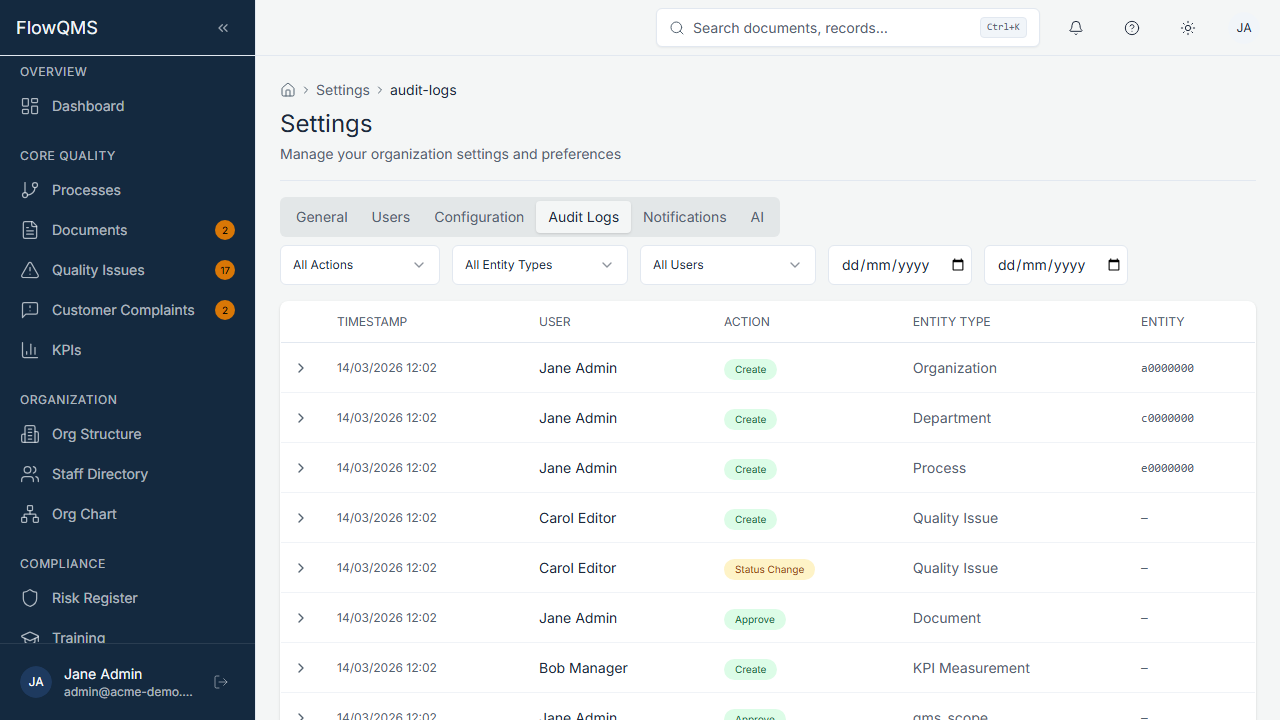
Browse all system actions with detailed change diffs for each entry.
Audit Log Table
| Column | Description |
|---|---|
| Action | What happened (create, update, delete, approve, reject, status_change, etc.) |
| User | Who performed the action |
| Timestamp | When the action occurred |
| Entity Type | What type of record was affected (document, ncr, risk, supplier, etc.) |
| Entity ID | The specific record affected |
Viewing Changes (Diff View)
Click on any audit log entry to see the Diff View, which shows:
- Field Name — Which field was changed
- Old Value — The previous value (highlighted in red)
- New Value — The new value (highlighted in green)
- Changed By — Who made the change
- Changed At — When the change was made
Values of "---" indicate the field was empty before (for create) or is empty now (for delete).
For more about how audit trails work at the record level, see Audit Trails.