

Organization Structure
The Organization module lets you define your company's structure — departments, job roles, staff members — and visualize it with an interactive org chart.
Sidebar location: Organization section (Org Structure, Staff Directory, Org Chart)
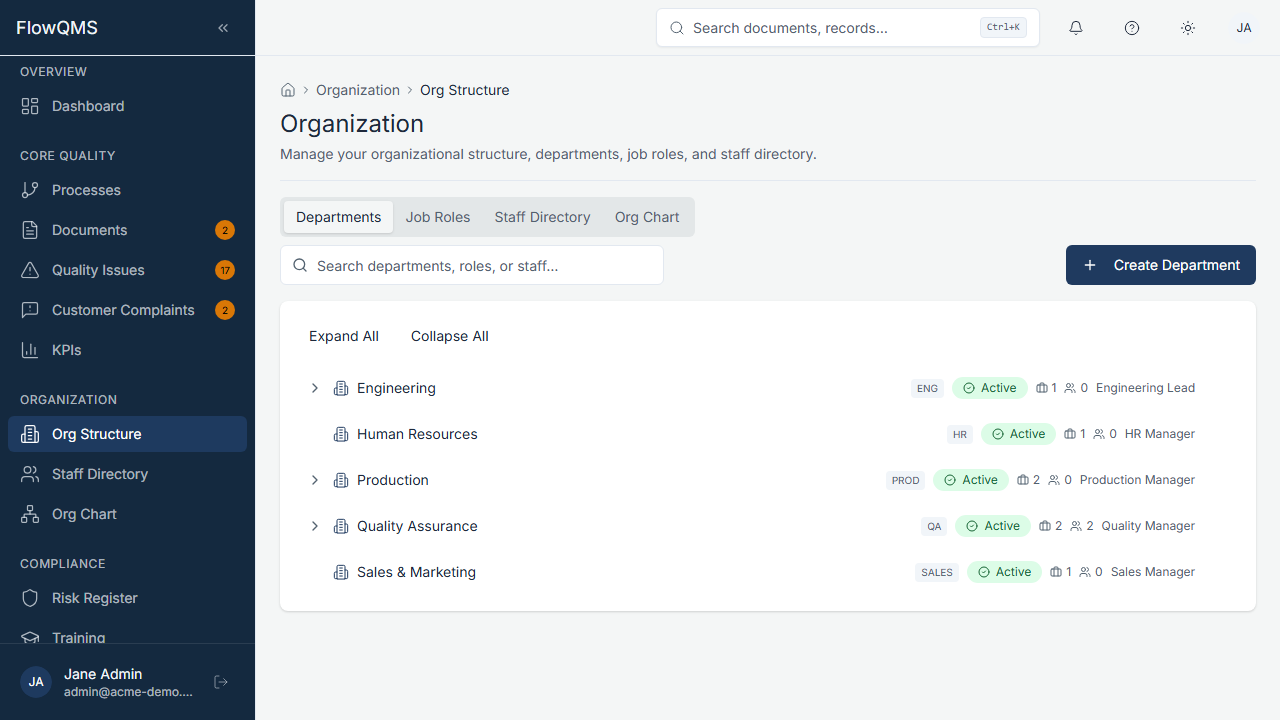
Manage your department hierarchy with parent-child relationships.
The module is organized into four tabs:
Departments Tab
Manage your department hierarchy.
Creating a Department:
| Field | Description | Required |
|---|---|---|
| Name | Department name | Yes |
| Code | Short code (e.g., "QA") | Yes |
| Description | What this department does | No |
| Department Type | Category (configurable) | No |
| Parent Department | Select a parent for hierarchical organization (e.g., "Engineering" under "Operations") | No |
| Head Role | The job role that leads this department | No |
| Status | Active or Inactive | No |
Departments are displayed in a tree view showing the parent-child hierarchy visually.
Job Roles Tab
Define job roles within your organization.
Creating a Job Role:
| Field | Description | Required |
|---|---|---|
| Name | Role title (e.g., "Quality Manager") | Yes |
| Department | Which department this role belongs to | No |
| Reports To | Which role this position reports to (for org chart hierarchy) | No |
| Responsibilities | Key responsibilities (rich text, sanitized) | No |
| Authorities | What this role is authorized to do (rich text) | No |
| Required Competencies | Skills and knowledge required (rich text) | No |
| Status | Active or Inactive | No |
| Is Top Management | Toggle on for top management positions | No |
Staff Directory Tab
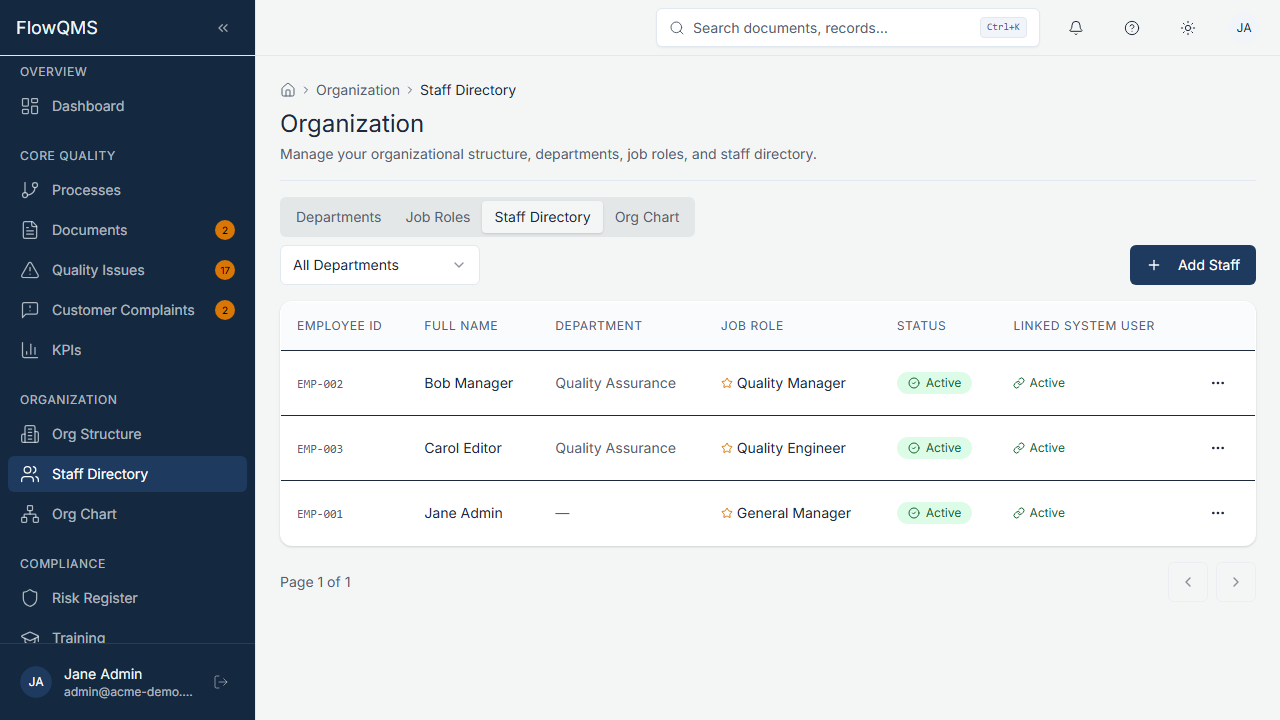
Maintain your staff register with employee details and linked user accounts.
Maintain your staff register.
Creating a Staff Record:
| Field | Description | Required |
|---|---|---|
| Full Name | Employee's full name | Yes |
| Employee ID | Company employee number | Yes |
| Email address | No | |
| Phone | Phone number | No |
| Hire Date | Date of hire | No |
| Department | Which department they belong to | No |
| Status | Active, Inactive, or On Leave | No |
| Linked User | Link to a FlowQMS user account (for login access) | No |
Org Chart Tab
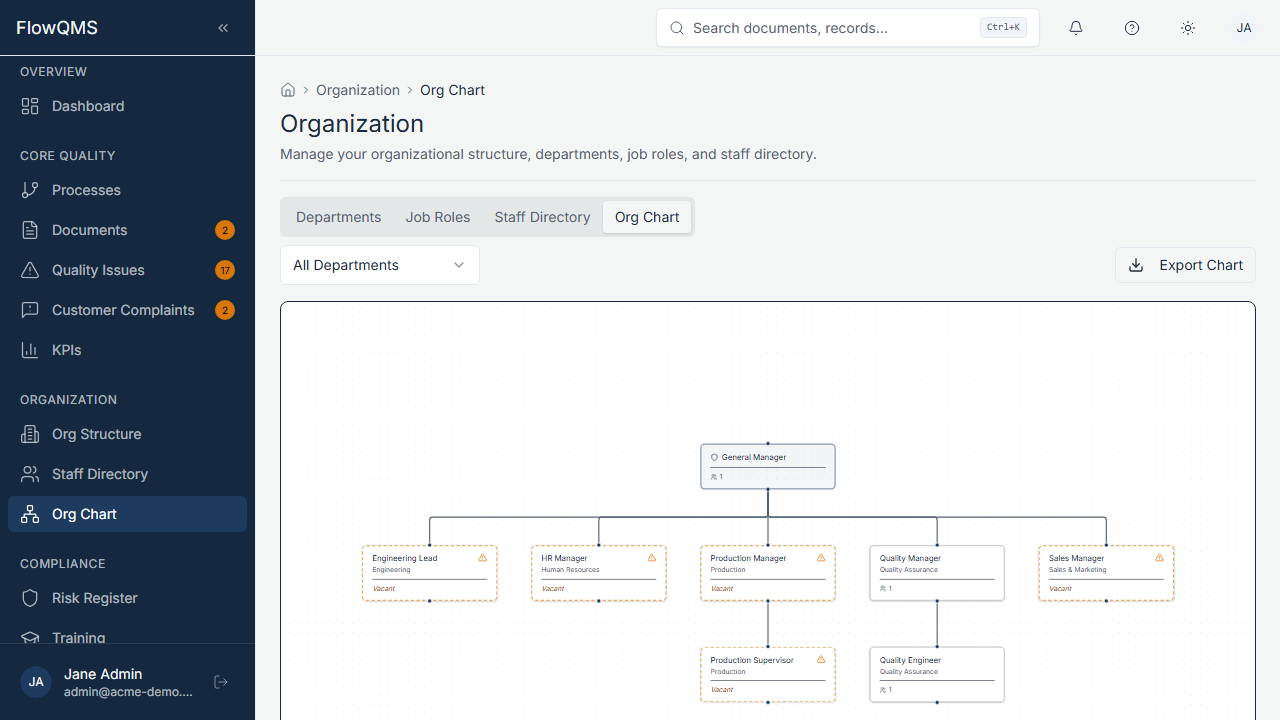
Visualize your organization's reporting lines and department hierarchy.
An interactive visual organization chart showing:
- Department hierarchy (parent-child relationships)
- Job roles within each department
- Reporting lines between roles
- Staff assigned to each role
Navigate the chart by clicking and dragging, zooming in/out, and clicking on nodes to see details.