

Change Management
The Change Management module tracks change requests through a formal approval workflow, assesses their impact on the QMS, and ensures changes are implemented in a controlled manner.
Sidebar location: Operations > Change Management
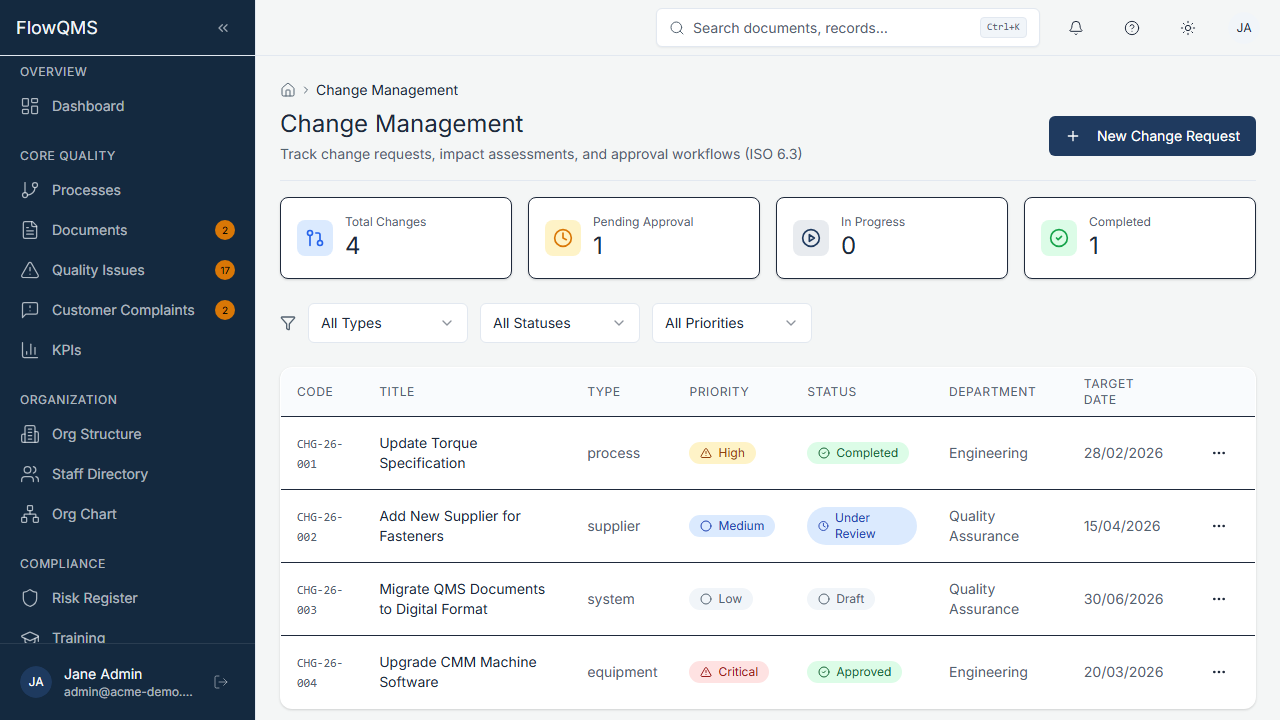
View all change requests with status, priority, and responsible person.
Change Request List
A data table showing all change requests with columns for title, type, priority, status, responsible person, and target date.
Creating a New Change Request
- Click "New Change Request"
- Fill in the form:
| Field | Description | Required |
|---|---|---|
| Title | Brief description of the change | Yes |
| Type | Change type (configurable: e.g., Process Change, Document Change, Procedure Update) | No |
| Priority | Low, Medium, High, or Critical | No |
| Description | Detailed change description (AI assist available) | No |
| Department | Department initiating or affected by the change | No |
| Responsible Person | Staff member responsible for implementation | No |
| Reason for Change | Why this change is needed | No |
| Implementation Plan | How the change will be carried out | No |
| Target Date | When implementation should be complete | No |
- Click "Create" to save
Change Request Workflow
Draft  →  Review  →  Approved  →  Implemented  →  Closed
↘ Rejected (returns to Draft)| Status | Description |
|---|---|
| Draft | Change request is being prepared |
| Review | Submitted for review and approval. Approvers are notified. |
| Approved | Change has been approved. Implementation can begin. |
| Rejected | Change was not approved. Returns to draft with comments. |
| Implemented | The change has been carried out. |
| Closed | Change is verified and closed. |
For more about how workflow stages are displayed visually, see Status Badges & Workflows.
Change Request Detail Page
| Tab | Content |
|---|---|
| Overview | Change details, justification, implementation plan |
| Workflow Stepper | Visual indicator of the current stage in the approval workflow |
| Approvers | Approval chain — who needs to approve and their current approval status |
| Impact Assessment | Grid showing which documents, processes, and systems are affected by this change |
| Linked Items | NCRs, risks, training requirements, and other items affected by or triggering this change |
| Audit Trail | Complete change history |