

AI Assistant
The AI Assistant provides intelligent support across FlowQMS.
Sidebar location: Intelligence > AI Assistant
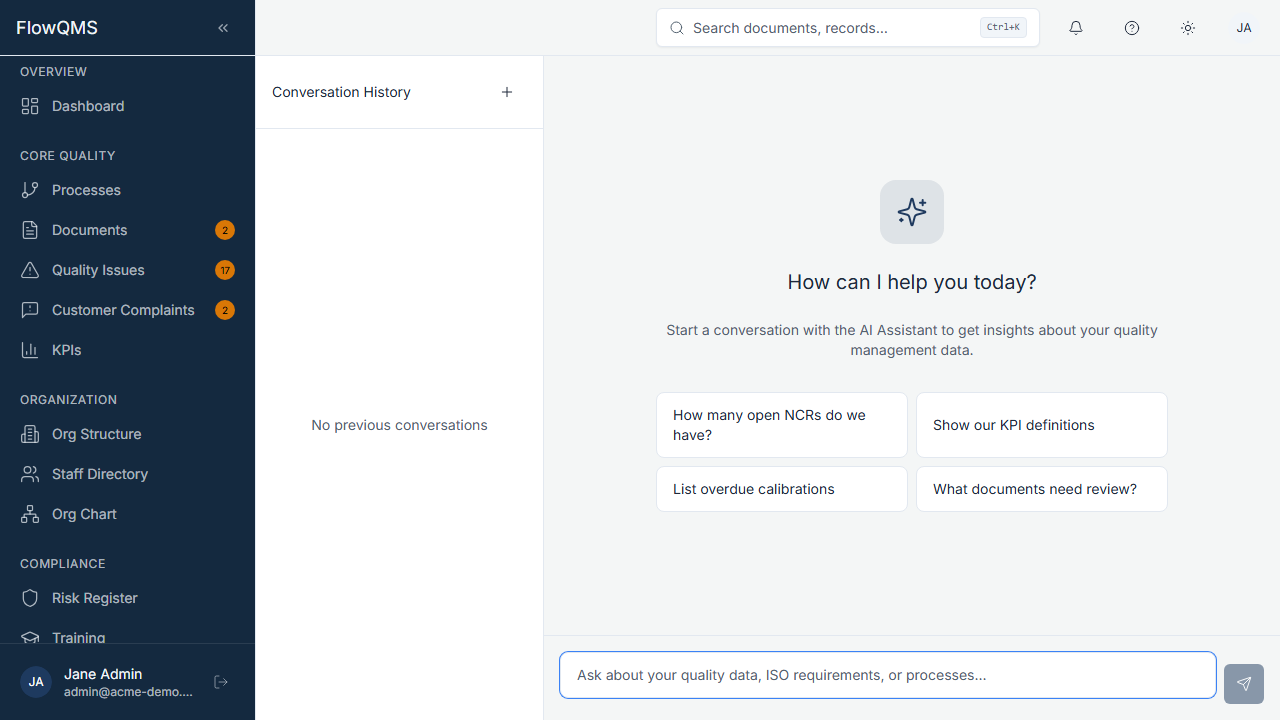
Ask questions about your quality data using natural language.
AI Form Assist
Throughout FlowQMS, you will see an AI Suggest button (sparkle icon) on certain form fields (typically description and text fields in NCRs, Risks, Change Requests, and Inspections).
How to use:
- Fill in the basic fields of the form (e.g., NCR type, source, title)
- Click the "Suggest" button next to the description field
- The button changes to "Suggesting..." while the AI processes
- An AI-generated suggestion appears that you can:
- Accept as-is
- Edit to refine
- Dismiss and write your own
The AI uses the context you have already entered (type, source, title) to generate a relevant description.
AI Chat / Knowledge Assistant
The dedicated AI Assistant page provides a conversational interface where you can:
- Ask questions about your quality data (e.g., "How many NCRs were opened last month?")
- Get recommendations based on trends
- Query your documented processes and procedures
TIP
AI features must be enabled by your administrator in Settings > AI Control Center. The AI never has access to personal information, passwords, or billing data.