

Complaints
The Complaints module is dedicated to tracking customer complaints as a specific category of quality issues. It provides a focused workflow for receiving, investigating, and resolving customer complaints.
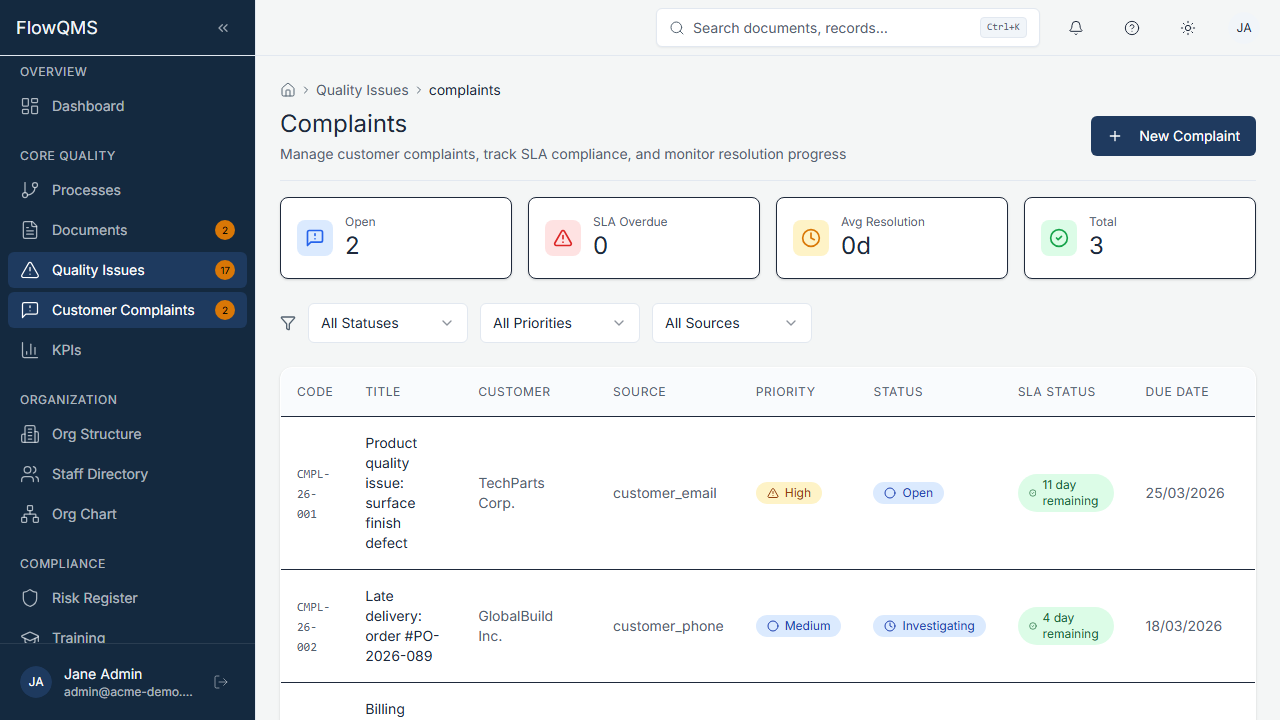
Customer complaints tracking with status and priority
Sidebar location: Core Quality > Complaints (requires the Complaints feature to be enabled)
TIP
Complaints are closely related to NCRs. When a complaint requires formal corrective action, it can be linked to an NCR record.
Complaint List
A filterable data table showing all complaints with columns for title, source, priority, status, assigned team member, and due date.
Creating a New Complaint
- Click "New Complaint"
- Fill in the form:
| Field | Description | Required |
|---|---|---|
| Title | Brief summary of the complaint | Yes |
| Description | Detailed complaint description | Yes |
| Complaint Date | When the complaint was received (defaults to today) | Yes |
| Response Due Date | Auto-calculated based on your SLA settings | No |
| Customer Name | Name of the complaining customer | No |
| Customer Email | Customer's email for follow-up | No |
| Complaint Source | Channel through which the complaint was received (configurable) | No |
| Complaint Category | Type of complaint (configurable) | No |
| Priority | Low, Medium, High, or Critical | No |
| Process | Link to the affected process | No |
| Assigned To | Team member responsible for investigation | No |
| Due Date | Target resolution date | No |
- Click "Create" to save
Complaint Workflow
Open → Investigation → Resolved → Closed| Status | Description |
|---|---|
| Open | Complaint has been received and logged |
| Investigation | Root cause is being investigated |
| Resolved | Resolution has been implemented |
| Closed | Customer has been notified, complaint is closed |
When the complaint reaches the Verification or Closed stage, you can record a Satisfaction Rating (1-5 scale) to track customer satisfaction with the resolution.
Complaint Detail Page
| Tab | Content |
|---|---|
| Overview | Complaint details, timeline, customer info |
| Comments | Discussion thread for internal collaboration |
| Attachments | Supporting documents and evidence |
| Linked Items | Related NCRs and change requests |
| Audit Trail | Complete change history |