

Internal Audits
The Internal Audits module supports the full audit lifecycle — from planning and creating audit templates to executing audits with checklists and recording findings.
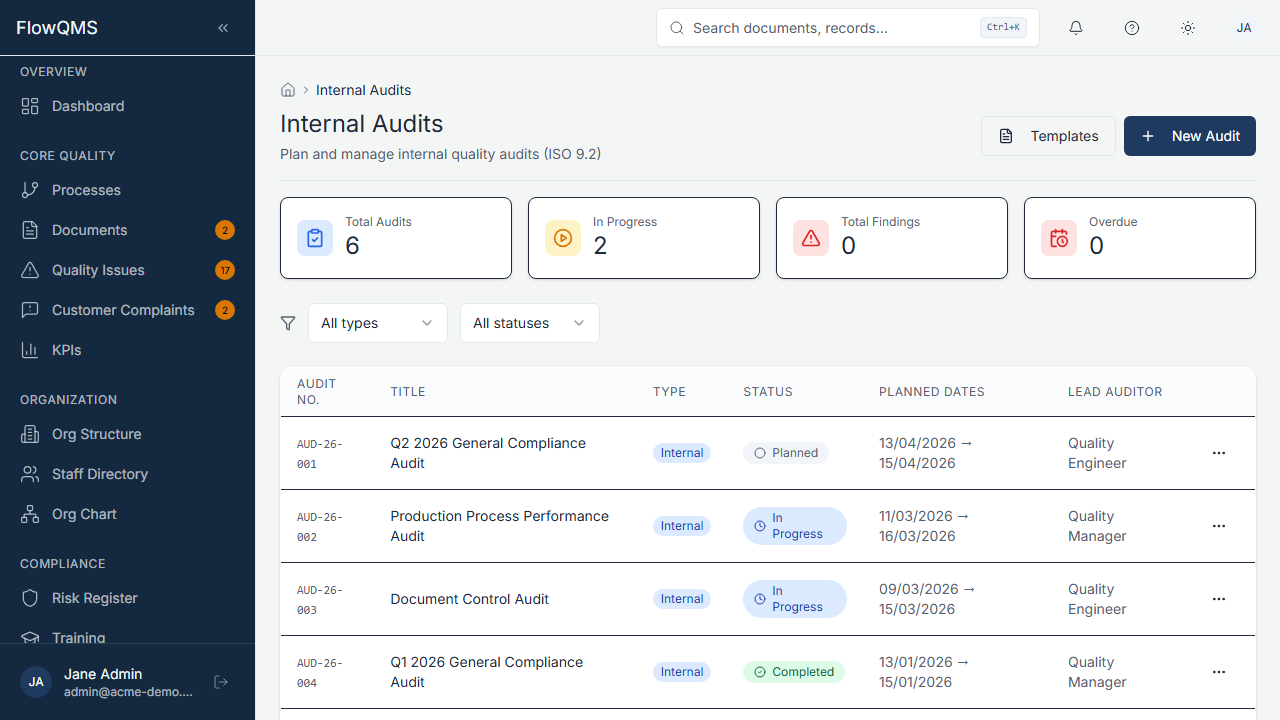
Audit list showing planned, in-progress, and completed audits
Sidebar location: Compliance > Audits
Audit Templates
Before creating audits, you can create reusable audit templates that define standard checklists.
Navigate to: Audits > Templates tab
Creating a Template:
- Click "New Template"
- Give the template a name and description
- Add checklist items — each item represents a point to verify during the audit
- Save the template
Templates can be reused across multiple audits, ensuring consistency.
Audit List
The main list shows all audits with columns for title, type, status, planned dates, auditor, and auditee.
Filters:
- Type — Internal, Second Party, Third Party, Management Review
- Status — Planned, In Progress, Completed, Closed
Creating a New Audit
- Click "New Audit"
- Fill in the form:
| Field | Description | Required |
|---|---|---|
| Title | Audit name (e.g., "Q1 2026 Production Audit") | Yes |
| Type | Internal, Second Party, Third Party, or Management Review | No |
| Status | Planned (default), In Progress, Completed, or Closed | No |
| Scope | What processes, areas, or departments are being audited | Yes |
| Template | Select an audit template to pre-populate the checklist (create mode only) | No |
| Planned Start Date | Scheduled start date | No |
| Planned End Date | Scheduled end date | No |
| Auditor Role | Job role performing the audit | No |
| Auditee Role | Job role being audited | No |
| Processes | Select which processes are being audited (multi-select checkboxes) | No |
Additional fields appear when status is In Progress or later:
| Field | Description |
|---|---|
| Actual Start Date | When the audit actually started |
| Actual End Date | When the audit was completed |
- Click "Create Audit" to save
Audit Workflow
Planned → In Progress → Completed → Closed| Status | Description |
|---|---|
| Planned | Audit is scheduled. Scope, team, and dates are defined. |
| In Progress | Audit is being conducted. Checklist items are being verified and findings are being recorded. |
| Completed | Audit fieldwork is done. Findings are finalized, and the audit report is ready. |
| Closed | All audit findings have been addressed and verified. |
Audit Detail Page
| Tab | Content |
|---|---|
| Checklist | List of all checklist items (from the template). Each item can be marked as Pass, Fail, or N/A. Add notes and evidence to each item. |
| Findings | Audit findings — each finding can be linked to an NCR for corrective action tracking. Create findings with severity, description, and evidence. |
| Participants | List of auditors and auditees with their roles. Add or remove participants. |
| Audit Trail | Complete change history |
Recording Findings
- Go to the Findings tab in the audit detail page
- Click "Add Finding"
- Fill in the finding details:
- Description of the finding
- Severity (Minor, Major, Observation)
- Related checklist item
- Evidence notes
- Optionally, create a linked NCR directly from the finding to initiate corrective action