

Processes
The Processes module documents your organization's business processes using the Plan-Do-Check-Act (PDCA) methodology.
Sidebar location: Core Quality > Processes
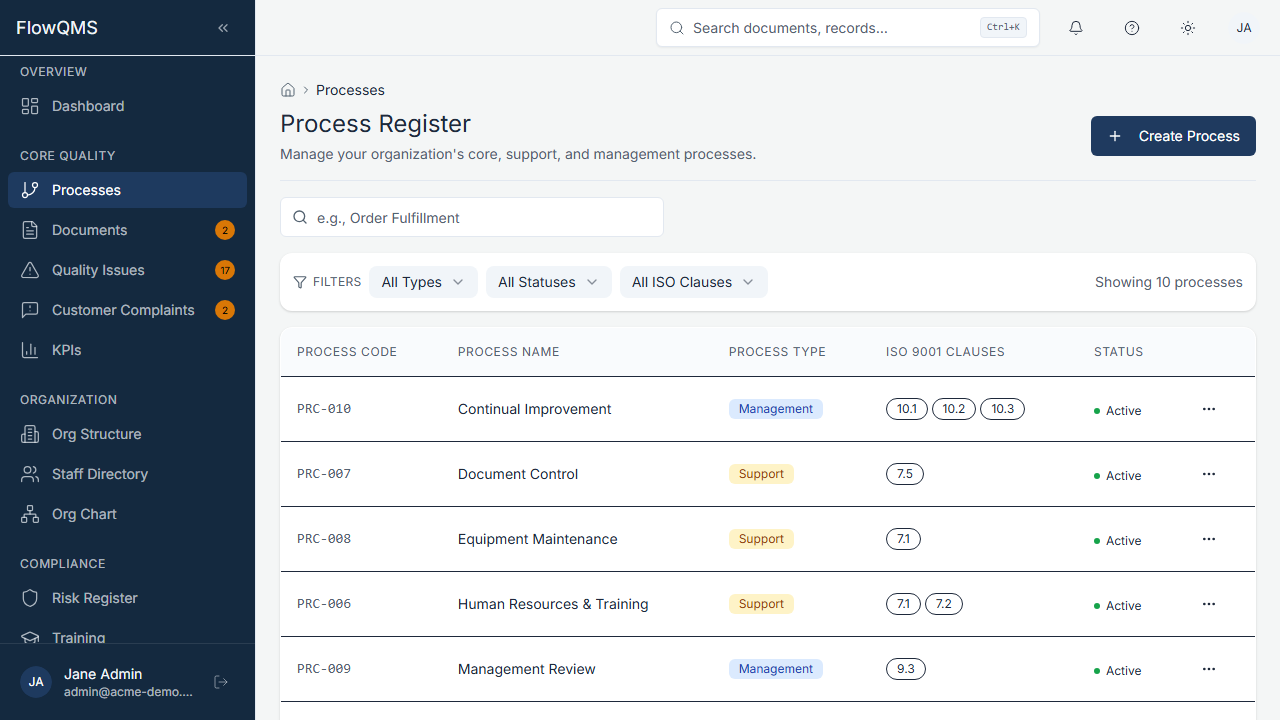
View all documented processes with their type, owner, and status.
Process List
A data table showing all processes with columns for code, name, type, owner, status, and last review date.
Creating a New Process
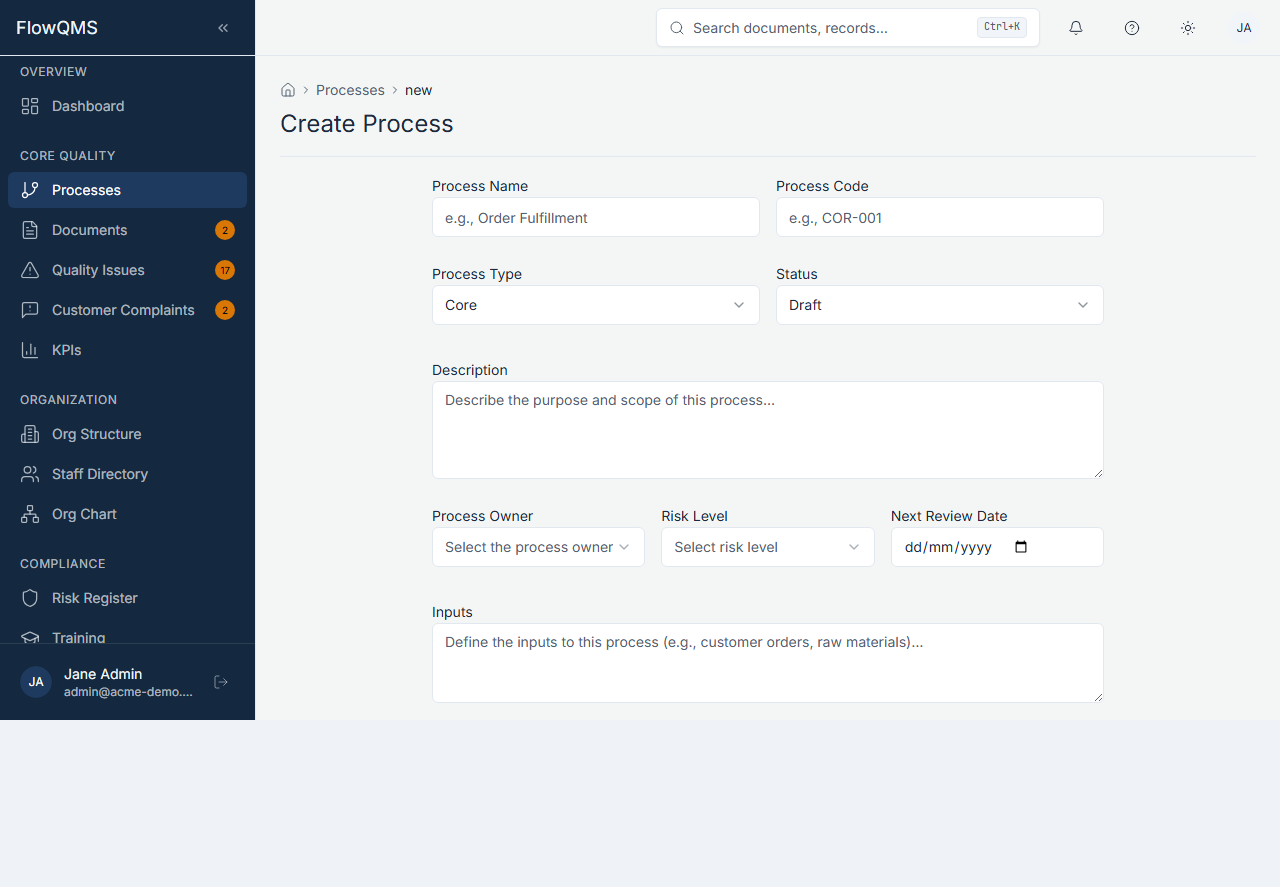
Define a new process with PDCA steps and ISO clause mapping.
- Click "New Process"
- Fill in the form:
Basic Information:
| Field | Description | Required |
|---|---|---|
| Name | Process name (e.g., "Production Control") | Yes |
| Code | Unique process code (e.g., "PROC-01") | Yes |
| Type | Core, Support, or Management | No |
| Status | Draft, Active, Under Review, or Obsolete | No |
| Description | Overview of the process | No |
| Owner Role | Job role responsible for this process | Yes |
| Risk Level | Low, Medium, High, or Critical | No |
| Next Review Date | When the process should next be reviewed | No |
Process Inputs & Outputs:
| Field | Description |
|---|---|
| Inputs | What goes into this process (materials, information, triggers) |
| Outputs | What this process produces (products, deliverables, records) |
ISO Clause Mapping:
Select which ISO 9001:2015 clauses this process addresses (multi-select from 4.1 through 10.3). You can also add custom clause references. See ISO 9001:2015 Clause Reference for the full list.
PDCA Steps:
Four collapsible sections for documenting each phase of the PDCA cycle:
| PDCA Phase | What to Document |
|---|---|
| Plan | Objectives, resources needed, expected outcomes |
| Do | How the process is executed, standard procedures |
| Check | How you monitor and measure effectiveness (linked KPIs, metrics) |
| Act | How you improve based on what you learned (linked to NCRs, changes) |
Process Detail Page
| Tab | Content |
|---|---|
| Overview | PDCA documentation, owner, status, scope |
| Inputs/Outputs | Process inputs and outputs |
| Responsibilities | Roles involved in this process |
| Metrics | Linked KPIs measuring this process's performance |
| Risks | Linked risks and opportunities |
| Related Documents | Procedures, work instructions, and forms related to this process |
| Audit Trail | Complete change history |