

Settings — General
Navigate to: Settings > General tab
This tab lets administrators configure the organization's basic information and regional settings.
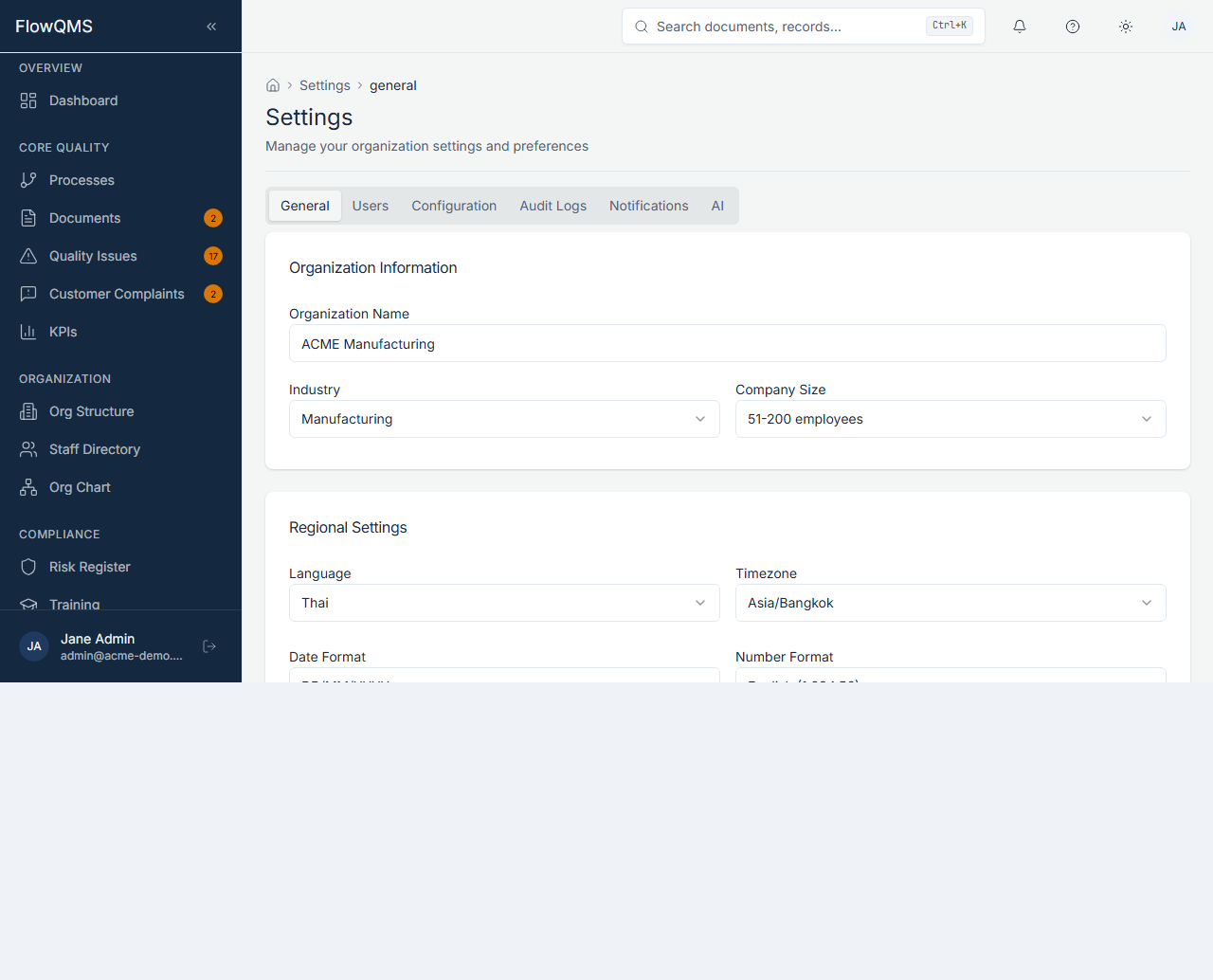
Configure your organization's basic information and regional preferences.
Organization Information
| Field | Description |
|---|---|
| Organization Name | Your company name |
| Industry | Industry sector: Manufacturing, Healthcare, Automotive, Food & Beverage, Pharmaceuticals, Construction, Electronics, Aerospace, Chemicals, Energy, Logistics, Services, or Other |
| Company Size | Number of employees: 1--10, 11--50, 51--200, 201--500, 501+ |
Regional Settings
| Field | Description |
|---|---|
| Language | Interface language (English, Thai) |
| Timezone | Primary timezone for date/time display (e.g., UTC, Asia/Bangkok, America/New_York) |
| Date Format | How dates are displayed: YYYY-MM-DD, DD/MM/YYYY, or MM/DD/YYYY |
| Number Format | Number formatting locale (e.g., en-US for 1,000.00 or th-TH for 1.000,00) |
| Currency | Default currency: USD, THB, EUR, GBP, JPY, or CNY |
Module Settings
| Field | Description |
|---|---|
| Default Response SLA (Days) | Default SLA for complaint response time (1--365 days) |
| Default Review Frequency | How often documents/processes should be reviewed: Quarterly, Semi-Annual, Annual, or Ad Hoc |
| Auto-Populate Lookback (Months) | How many months of data to pull for management review inputs (1--24 months) |
WARNING
Only users with the Admin role can modify General settings. Other users will see these fields as read-only with a notice.
Click "Save" to apply changes.